


ZWO SEESTAR
Astrophotography with a smart telescope.
Capture deep sky objects and more with the smallest ZWO telescope! The Seestar is a small and lightweight Smart Telescope you can control with your phone and shoot both night time and daytime objects.
Learn more about this fully automated telescope and where to purchase it below.
SEESTAR Equipment & Astronomy


Specifications (S30):
What is Included:
-
Seestar smart telescope - Telescope + Tripod
-
Magnetic Solar Filter - To capture the sun safely.
-
Carrying Bag - to carry and protect the telescope
-
USB cable - USB-C cable for charging the telescope
-
Free mobile app - required to use the Seestar
-
Aperture: 30mm / Lens: Refracting
-
Focal Lenth: 150mm / Focal Ratio: F/5
-
Size: 8.7 x 5.6 x 2.6 in (22 x 14 x 6.5 cm)
-
Mount: Alt-azimuth / 6 Hours of battery life
-
Image Processing: Auto or Manual
FILTERS
Also known as a CLS (City Light Suppression) filter, you can select this built-in filter to improve the quality of your photos within cities or urban areas.
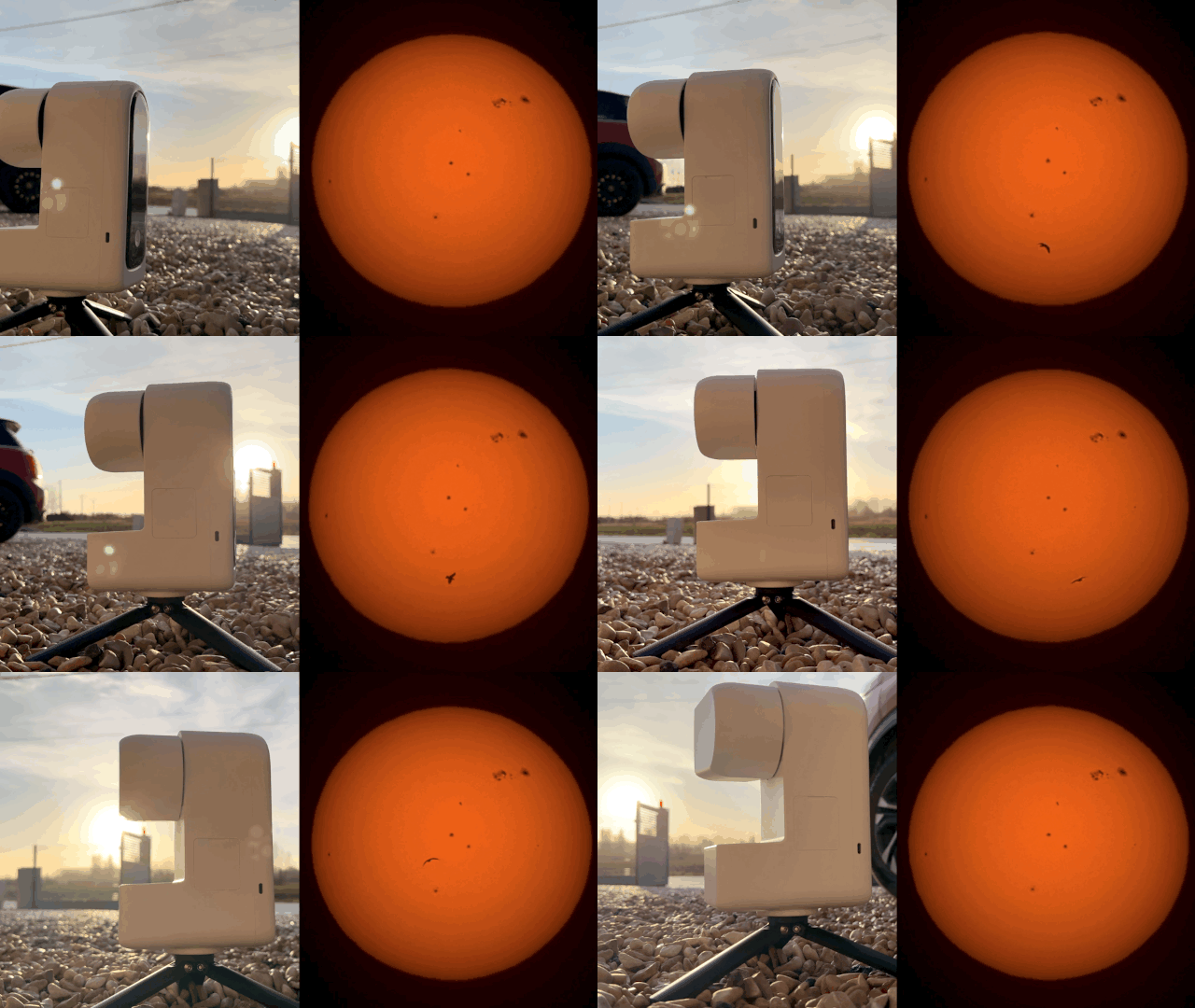
Observe the sky at night AND by day! The Seestar has a solar filter to view the Sun and sunspots. Activate Solar Mode on the app to see solar activity.
A built-in dual narrowband filter that enhances photo quality from light polluted areas. Filters wavelengths of Hydrogen-Alpha (Ha) and Oxygen III (O-III).
Learn all about when to use these filters and much more in the Seestar online course.
Premium Astrophotography Course
If you would like to learn all about your ZWO Seestar smart telescope, be sure to check out the Seestar Smart Telescope Online course!
You will get step-by-step directions on how to set up, image, process, and fully understand all aspect of your Seestar. You will be able to get fantastic images of any target, like nebulae, galaxies, the sun, and the moon.
Check out the list of 117+ lessons by CLICKING HERE!
Here are the chapters included in the course. Each one contains several lessons with both written text and video:
-
Introduction
An introduction to the course and what you'll learn.
-
Smart Telescope Selection
Lessons to help you choose and compare different smart telescopes, the brands, and understand fundamentals like aperture, focal length, and focal ratio.
-
Planning
A chapter dedicated to planning your night so that it doesn't end in failure! Learn to use planetarium software, frame your target, find a dark sites, and more.
-
Filters Mastery
Learn all about the different filters and when to use them.
-
Unboxing and Setup
This chapter is for your first day with your Seestar! See what's in the box, set it up outside, and learn all about the unit you received.
-
App Mastery
Learn everything about the Seestar app so that you can become an expert at it before you even image outside! See what all the app's features and pages are about, and get tips on the best settings to change.
-
Imaging
Learn to image all kinds of targets, from deep sky objects to the moon to the sun! Also learn about imaging wide-field in the day time!
-
Processing Mastery
Follow a simple but powerful workflow to process your data and get the best results possible.
-
Conclusion
A conclusion that also includes extra lessons!

OTHER Smart Telescope CONTENT
Written tutorials about smart telescopes and how-to guides.


